A Deep Dive into the Dashboard Redesign
When I first joined the Reccur team, my primary objective was clear: to lead the comprehensive redesign of their existing dashboard. This wasn't merely a cosmetic update; it was driven by the evolving objectives of the company. Reccur aimed to introduce a new paradigm for users to send, convert, and receive money – functionalities that the previous dashboard simply couldn't accommodate. Understanding this critical need, I immediately embarked on a systematic design journey.
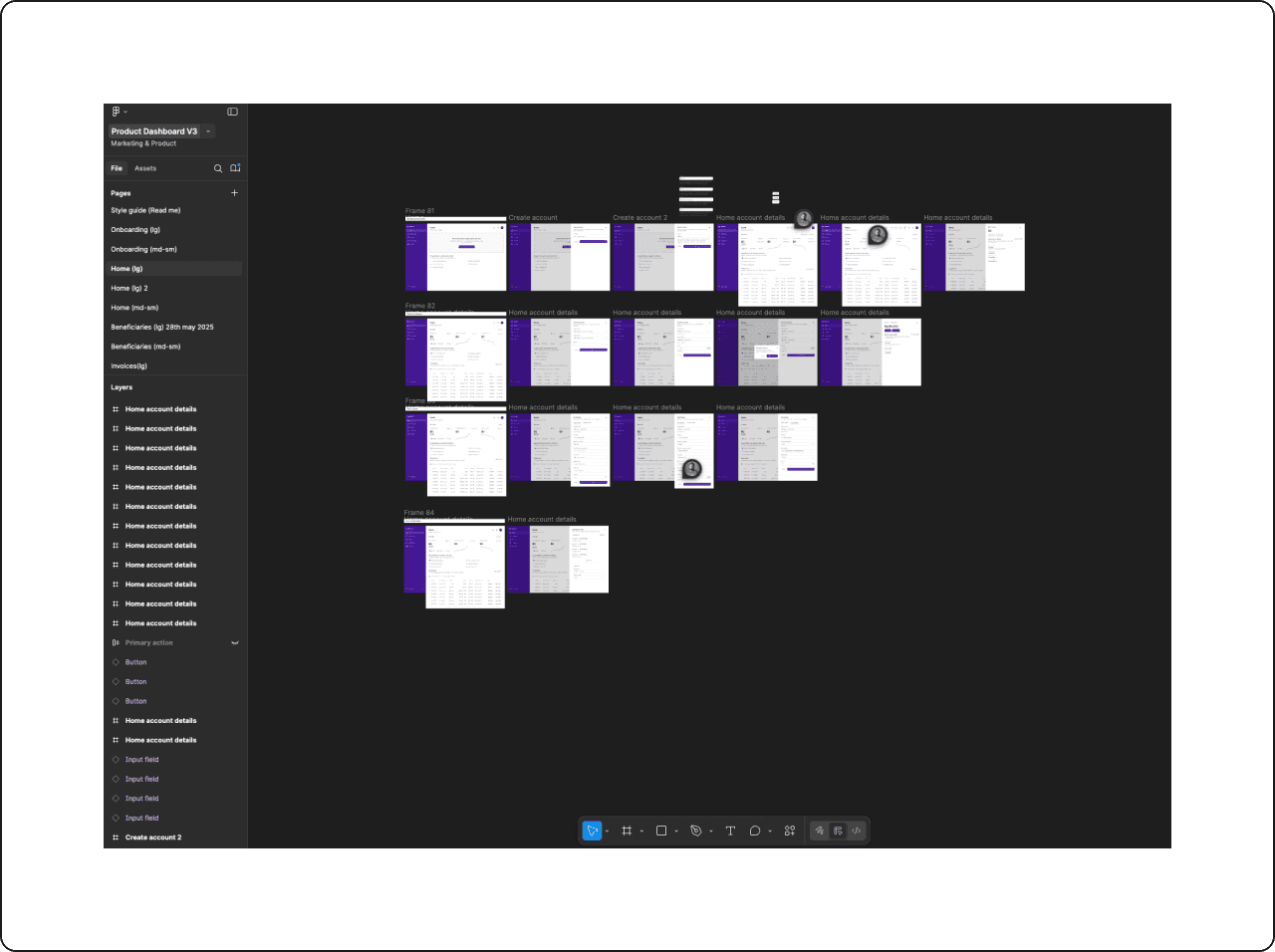
Previous dashboard
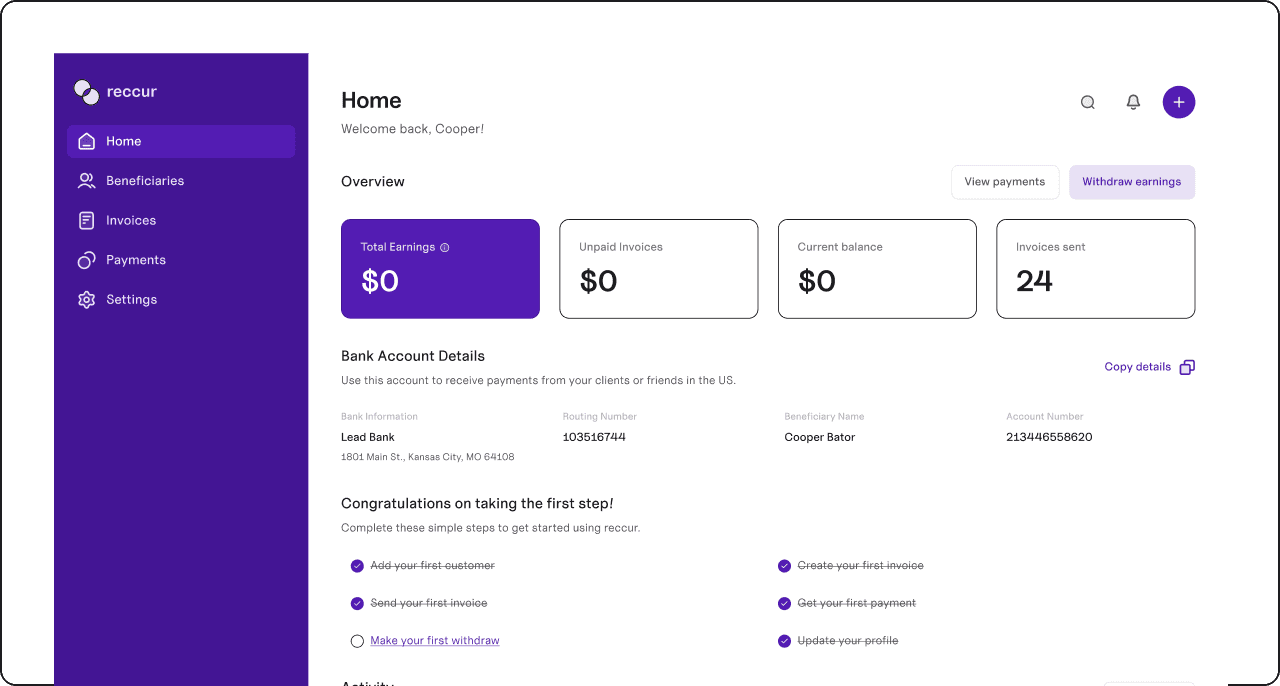
Shortcomings of the previous dashboard
User experience for sending money to anyone was very tedious.
Users had no way of converting their money from one currency to another
How can users send money easily?
My initial thought process was heavily influenced by the current landscape of day-to-day fintech applications. A prevalent pattern in these successful platforms is the intuitive placement of key action buttons – "send," "receive," and "convert" – in close proximity.
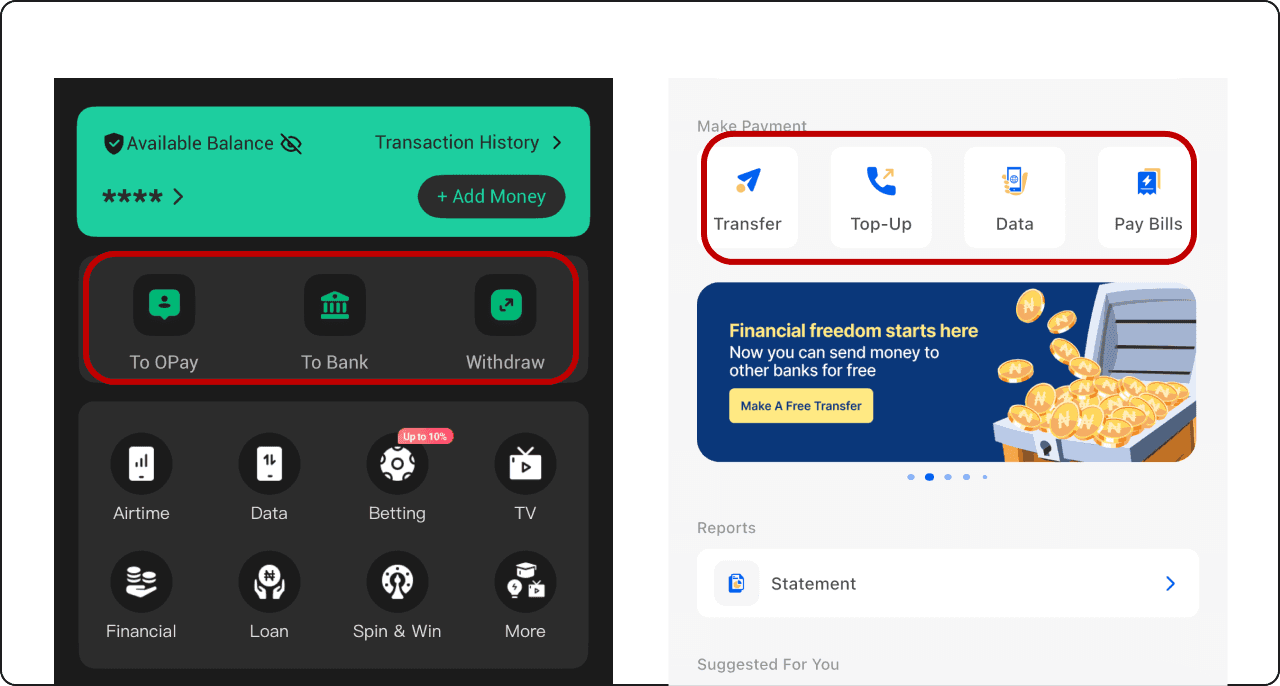
For the Reccur dashboard, I aimed to create an experience that felt both familiar and intuitive. Leveraging established fintech design patterns helped ensure users would quickly feel comfortable and confident navigating the interface.
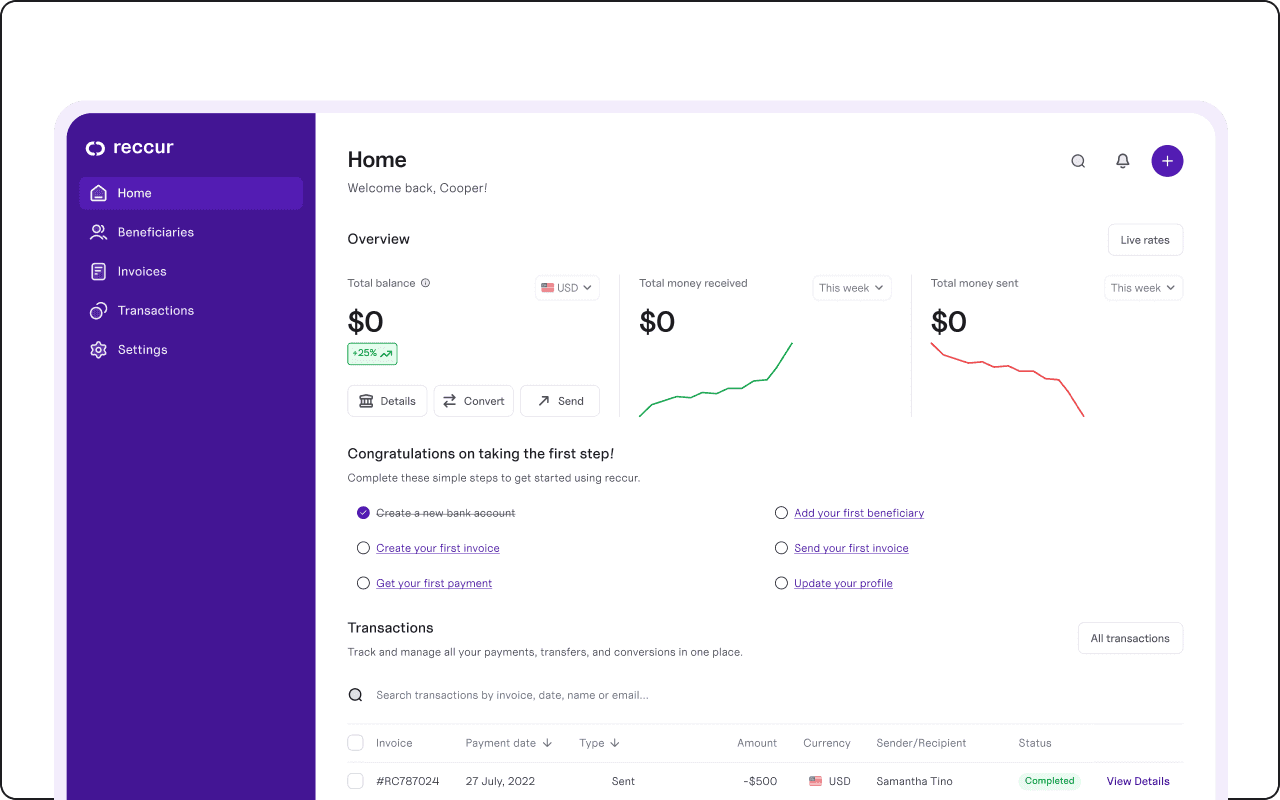
Once the direction was set, I turned to the finer details—specifically, the placement of action buttons and the development of a cohesive colour system. Primary and secondary CTAs were defined to guide attention naturally, while supporting colours reinforced hierarchy and consistency across the product. (See image for representation of the final design.)
Streamlining User Flows: The Power of the Sidebar
With the foundational elements of the dashboard in place, the next major challenge was to design the most efficient and user-friendly flows for these core actions. I considered several options: should the flows be presented as pop-up windows, open on entirely new pages, or utilize a sidebar? Each option presented its own set of advantages and limitations.
Pop-ups
While seemingly convenient for quick actions, I identified a significant drawback: pop-ups often obstruct other crucial elements on the screen, such as the user's wallet information, balance, and transaction history. This could lead to a fragmented and less transparent user experience.
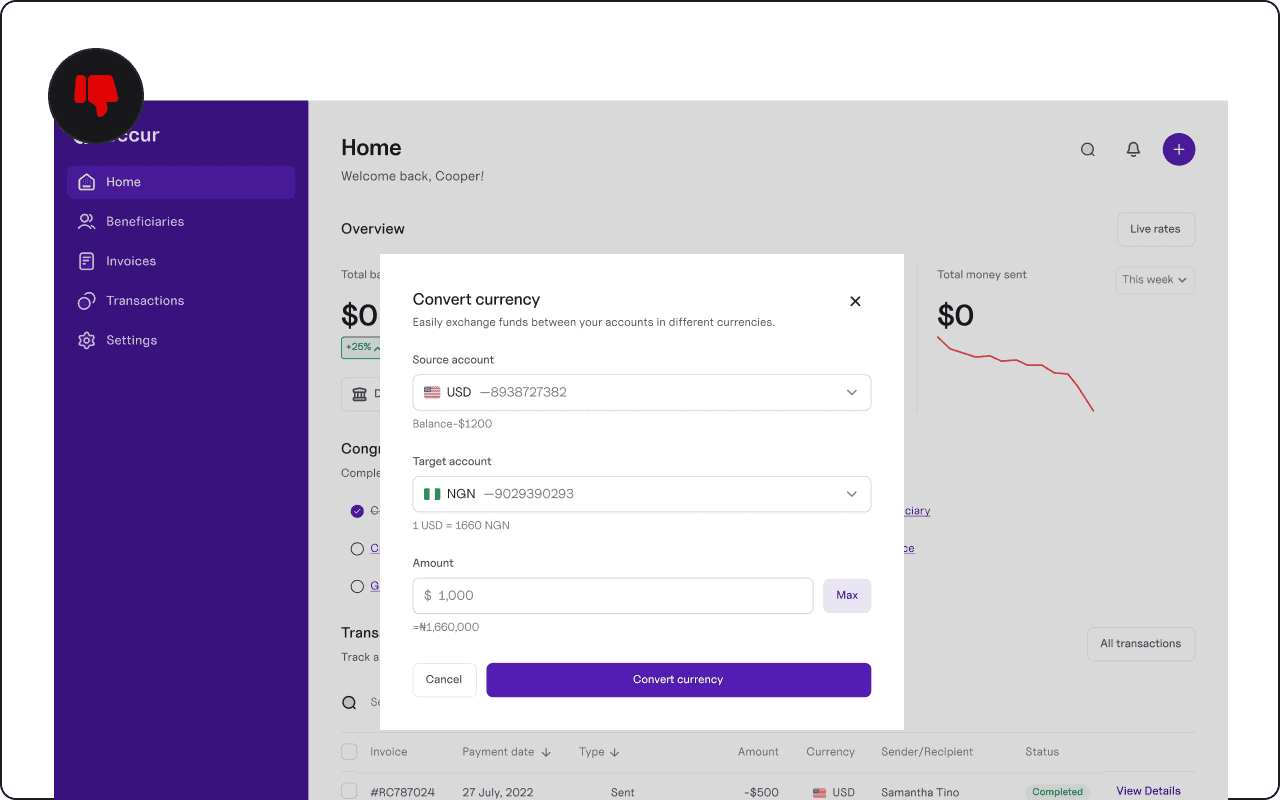
New pages
Opening new pages for each flow would introduce a sense of disconnect and potentially slow down the user's navigation, requiring them to constantly switch contexts. This could detract from the seamless experience we aimed to provide.
Sidebars
After careful consideration, the sidebar emerged as the optimal solution. The primary advantage of a sidebar is the sense of control it offers users. They are intuitively aware that they can easily click out of the sidebar at any time, effectively canceling the ongoing process if needed. Furthermore, the sidebar design allows users to simultaneously view essential wallet information – their balance, transaction history, and action buttons – without any visual obstruction. This transparency and continuity were critical to enhancing user comfort and confidence.
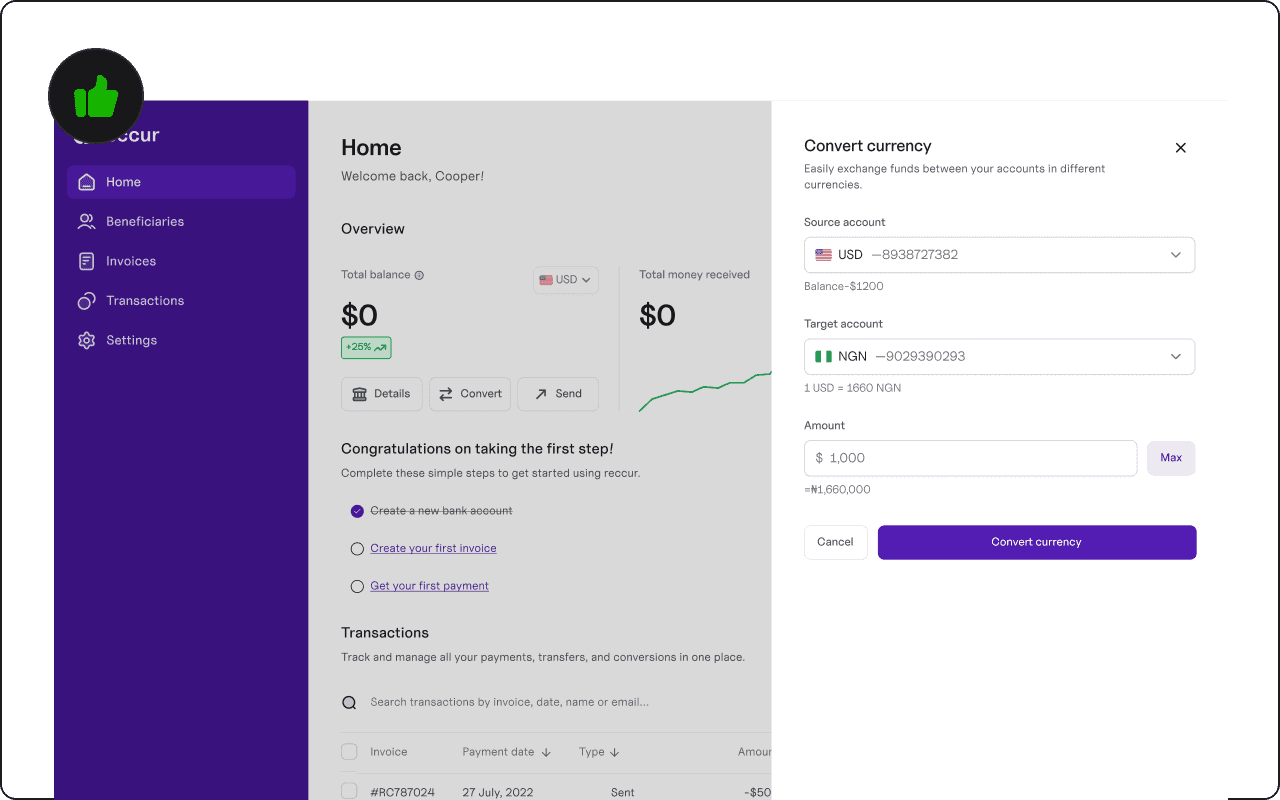
Optimizing the "Send Money" Flow: Balancing Simplicity and Functionality
Finally, I delved into the specifics of the "send money" flow, which often represents a critical and frequently used function in fintech applications. I weighed two primary options:
Add a beneficiary first, then send money: This approach would require users to pre-register recipients before initiating any transfers.
Start the sending money flow directly, with the option to add a beneficiary: This approach would allow users to immediately begin the transfer process, with the flexibility to add a new beneficiary during the flow itself.
The second option was clearly superior. While the process might initially appear more comprehensive, offering the immediate option to add a beneficiary significantly streamlined the overall user experience. This flexibility caters to both one-time transfers and recurring payments, ensuring a seamless and intuitive process for a wide range of user needs. The thoughtful integration of the beneficiary addition within the sending flow, rather than as a prerequisite, ultimately made the entire process more efficient and user-friendly.
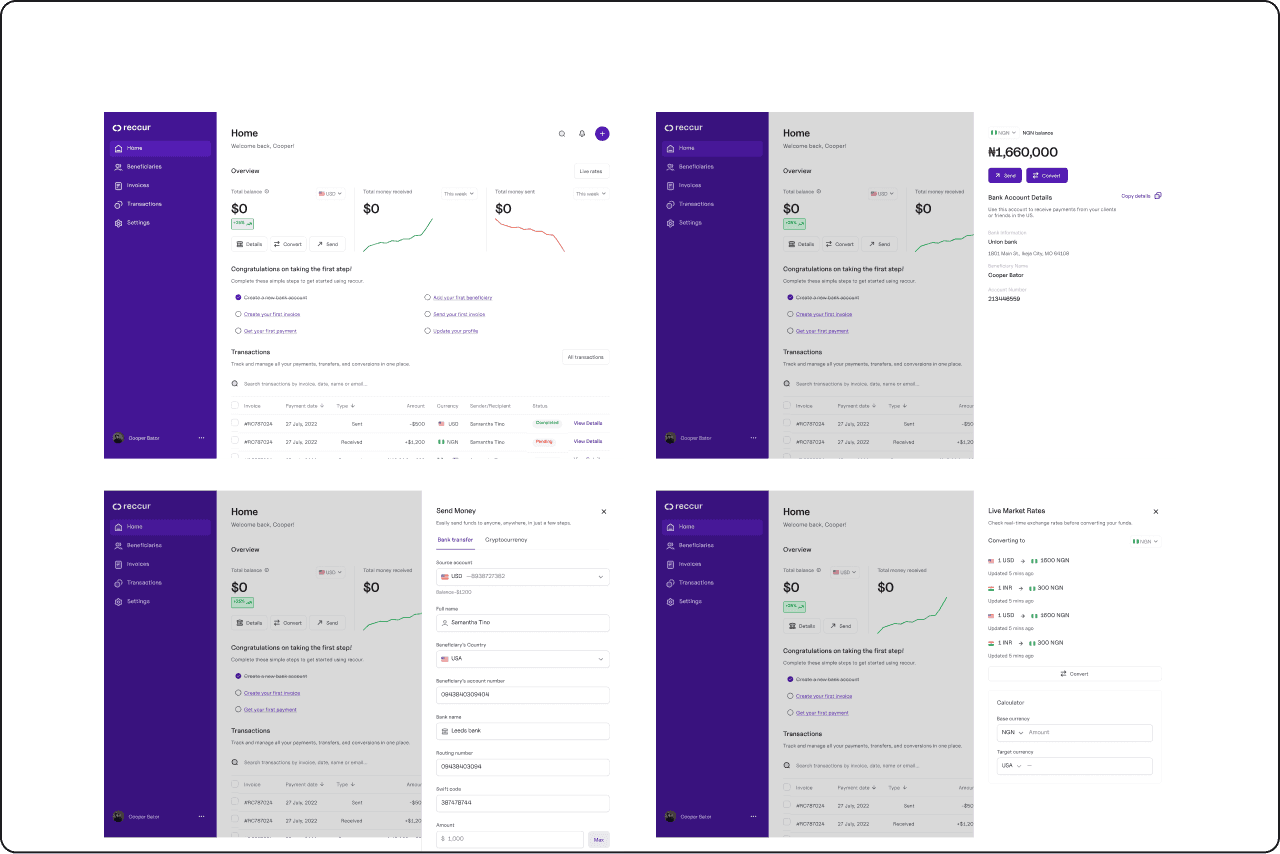
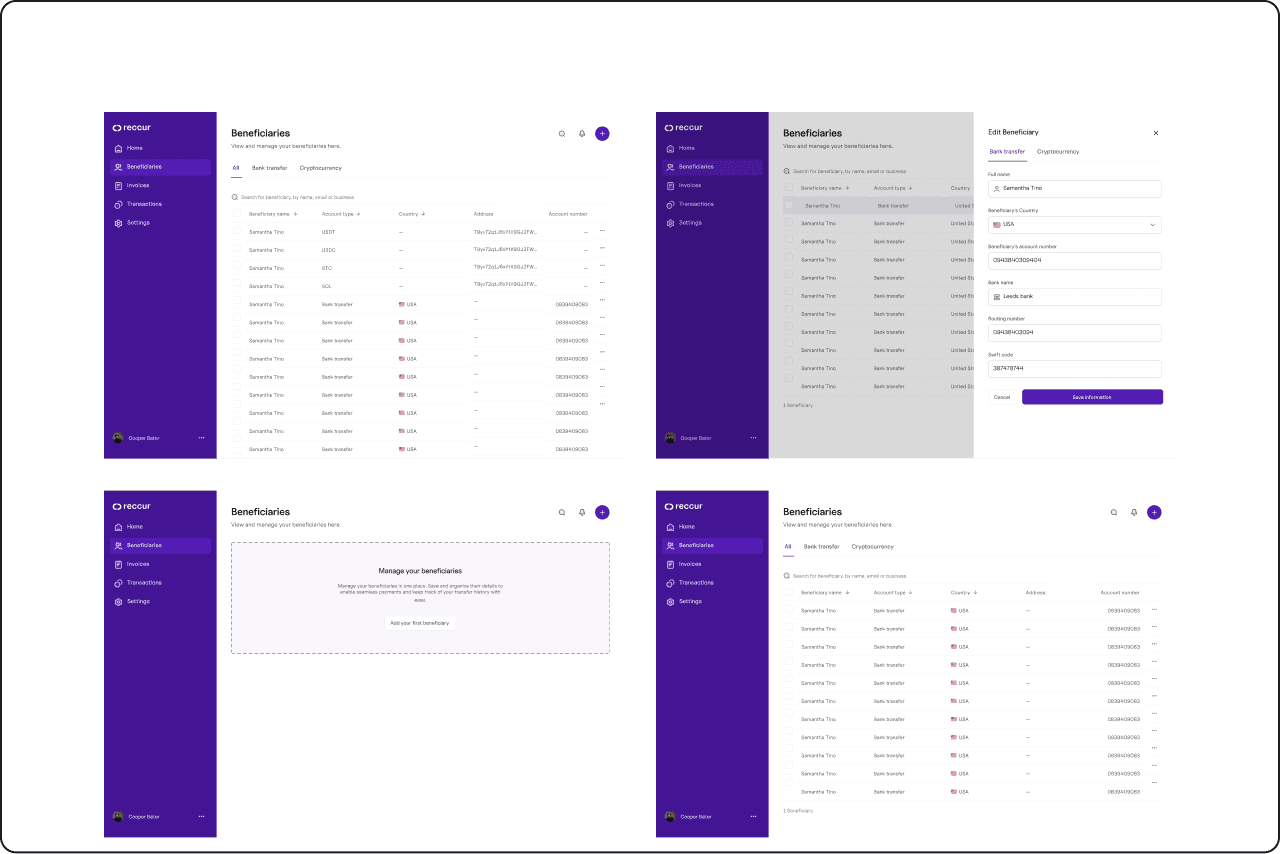
Finalized design
Home screens
Beneficiaries screens
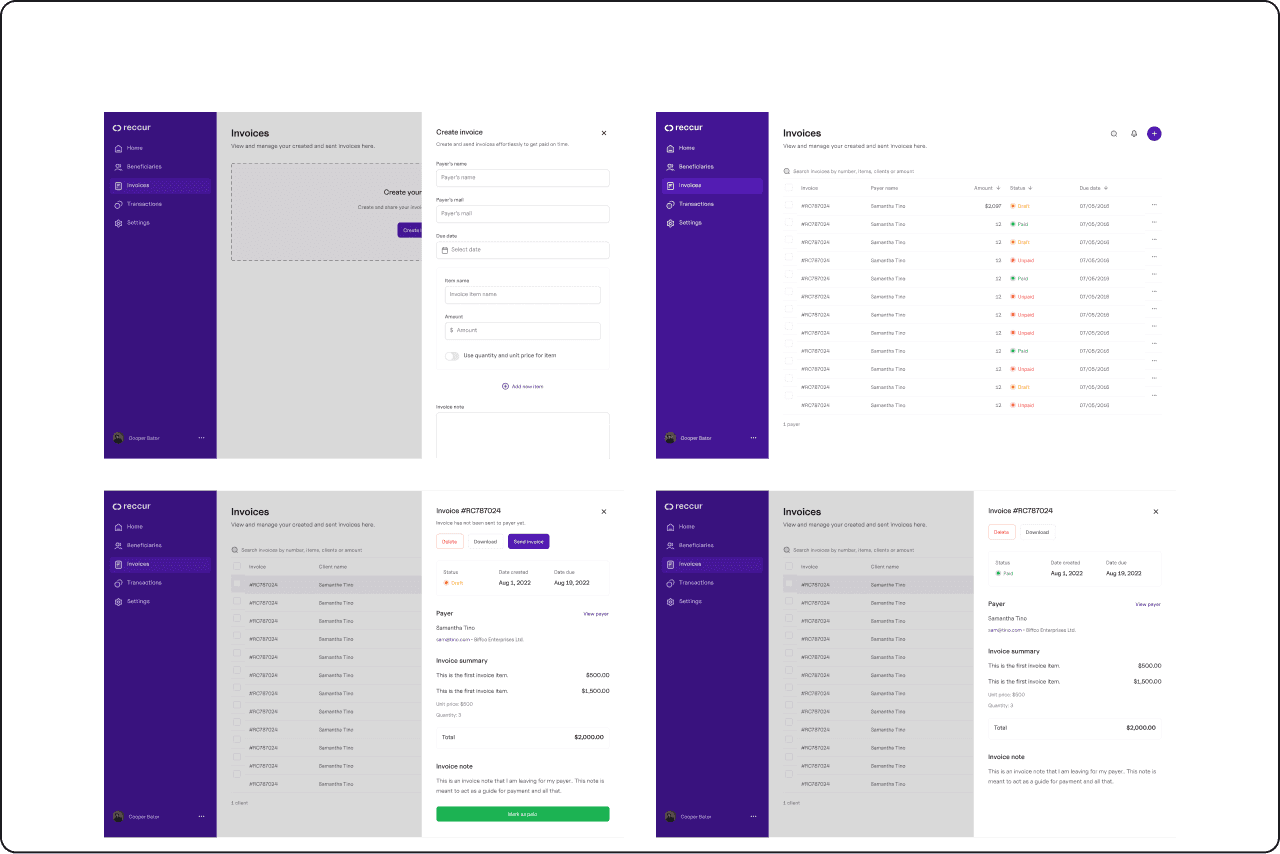
Invoices screens
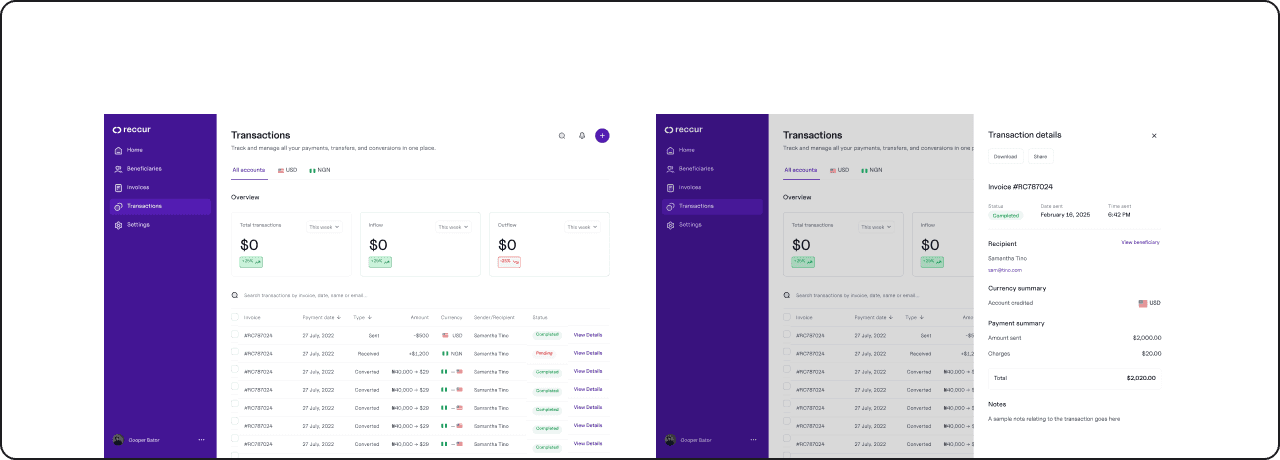
Transactions screens
My workspace